Make a video from a template
Pick a template, choose who plays each person and where, then make it with your own characters.
#1. Open a template
Templates are on Home and Explore. Each one is a short video with its own moves and timing. Tap one to watch it with its sound, then tap Recreate: it opens the template's own page. The number beside it is the template's price in credits.
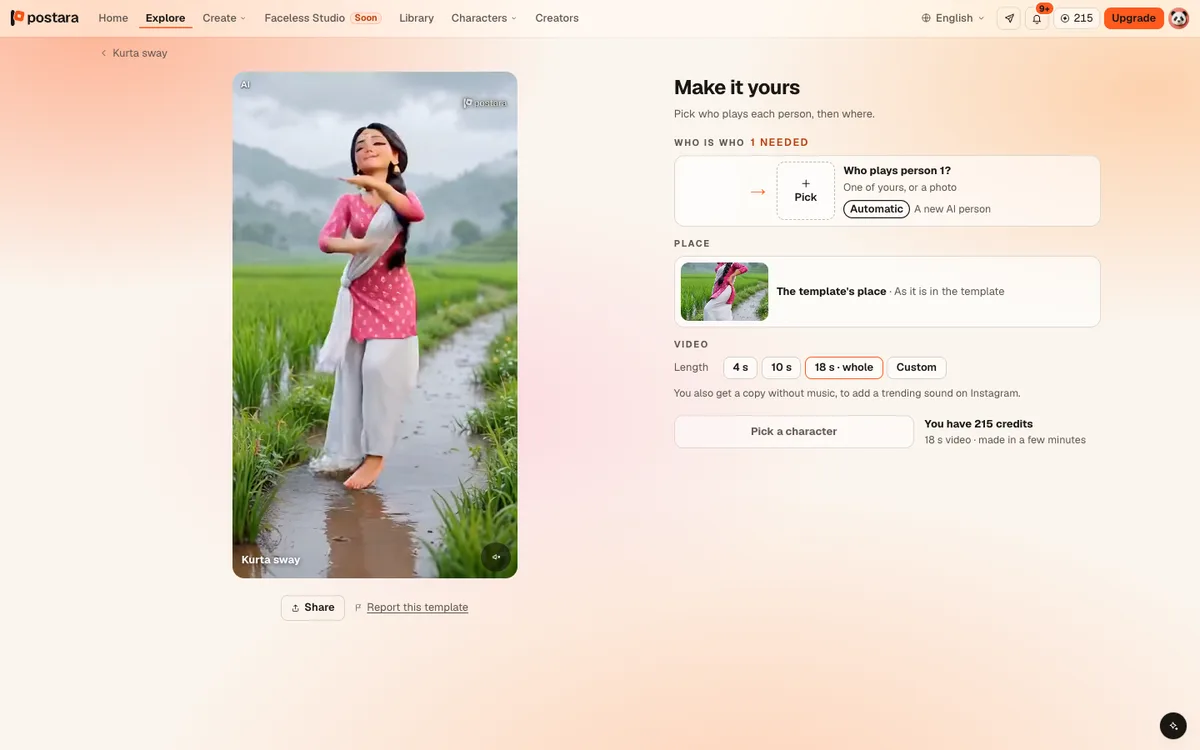
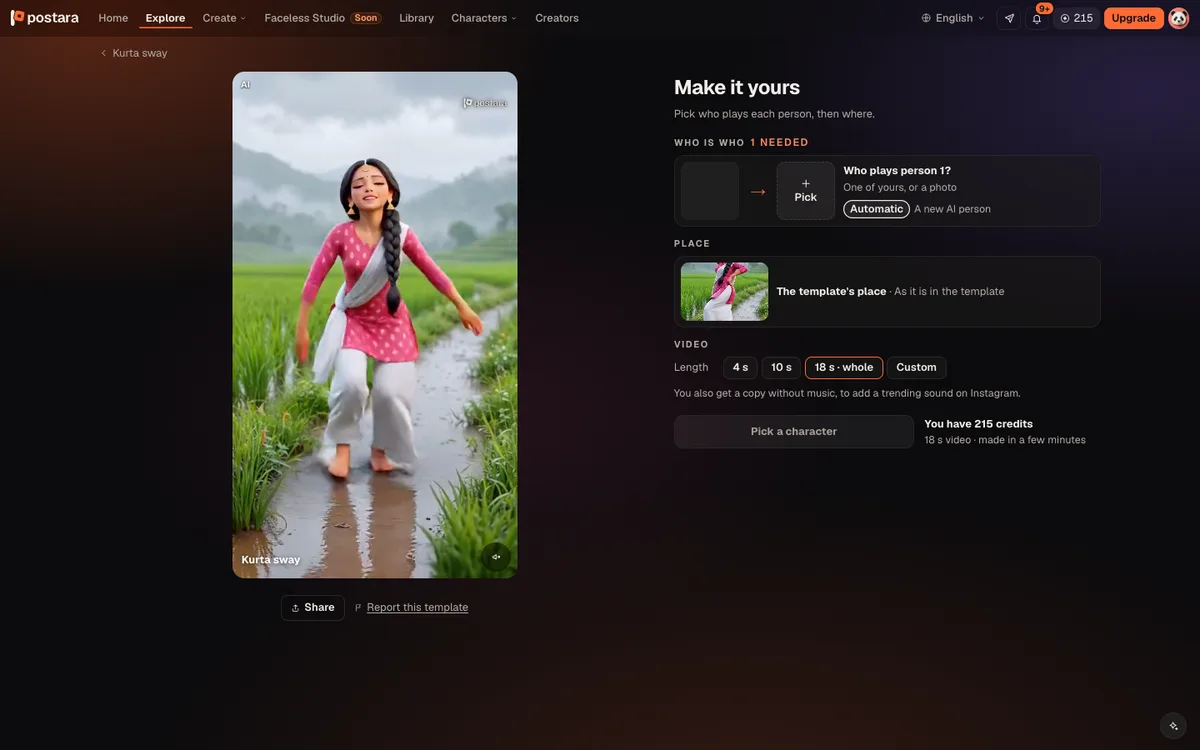
#2. Pick who's in it
The page says Make it yours and asks you to pick who plays each person. For each one you can choose:
- One of yours: a character you've made.
- A photo: a clear photo of a person, or of your pet. It becomes a character with that face.
- Ready-made: one of our characters, if you don't have one yet.
A template with two or more people asks for each one in turn. A person you don't pick is played by a new AI person (the card says Automatic), never by the person in the template. If a character needs a look first, Preview the look shows it, free.
#3. Pick the place
As it is in the template keeps the template's own place. On some templates you can tap Somewhere new and pick another place; the moves and timing stay the same.
#4. Pick the level, length and size
- Level: on a template with real people, Tara Naacho (the cheaper one) or Tara Standard.
- Length: the template's whole video, a shorter length, or Custom, a second at a time.
- Size: the sizes the level offers (for example 720p or 1080p on Tara Naacho; 480p, 720p or 1080p on Tara Standard). Each size shows its own price.
#5. Make it
The Make button shows the price for the people, length and size you picked. That is what you pay, and nothing is charged until you tap it. Your video is made in a few minutes and saved in your Library.
You also get a copy without music, so you can add a trending sound when you post it.