Make a picture
Describe a picture, add your characters, let Tara pick the model, and pick a style, shape and how many.
#1. Describe the picture
Say it or type it, in your own words. A few words are enough: "Kavya on a rooftop at sunset, holding a cup of chai".
Type / to add a style. The styles are Cinematic, Heroic, 3D cartoon, Anime, Watercolour, Portrait, Golden hour, Monsoon, Festival, Product and Character sheet. You can add more than one.
Enhance (optional). Tap Enhance and Tara turns your words into a detailed prompt: the idea, the layout, the light and the colours. Everything you wrote stays, and any words you put in "quotes" come back exactly as you typed them, so the picture spells them right. Edit it as you like, or tap Undo to get your own words back. Enhance works for prompts in English.
#2. Add your characters or pictures to go by (optional)
Tap the box on the left to open the picker. Choose your characters, or add pictures: the box says how many the model takes (up to 4 with Tara). You can also type @ in the words to pick a character by name.
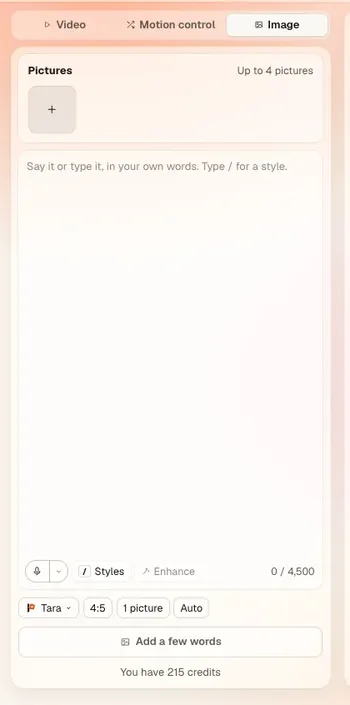
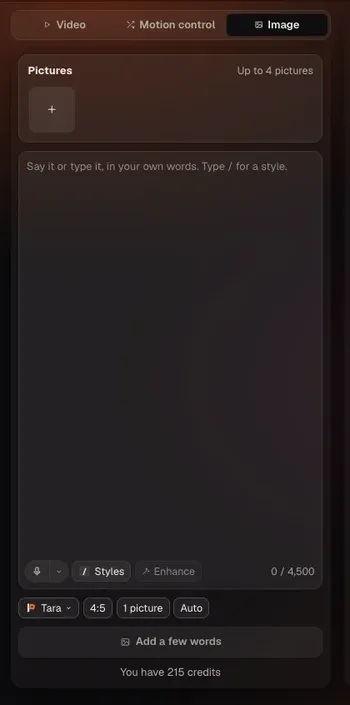
Each model uses as many of your pictures as it can hold and picks the ones that help most.
#3. The model: Tara picks, or you do
Leave the model on Tara and it reads your words and picks the model that suits the picture: one that sets words cleanly for posters, ads and covers, and one for photos and for changing your own pictures. You see the model it picked and its credits before you tap Make. To choose yourself, open the Model menu and pick any maker.
Two new makers: GPT Image 2.6 follows your words closely and is good at keeping a face from your picture (1K or 2K). Seedream 5.5 is ByteDance's newest, from your words or your pictures (2K). Each uses up to 4 of your pictures. Tara picks GPT Image 2.6 when your picture has your own people in it: changing your own photo, or putting your people in a new scene. Seedream 5.5 you choose yourself in the Model menu.
#4. Pick the shape, how many and the quality
- Shape: 1:1, 4:5, 9:16, 16:9, 3:4 or 4:3.
- How many: 1, 2 or 4 pictures at a time. More pictures cost more.
- Quality: it starts at Auto: Tara picks the quality with the model, at the price shown. To choose yourself, tap 1K, 2K or 4K where the model has them, and your choice is kept. 4K is the sharpest; when you pick it, Tara uses a model that makes 4K. A higher quality can cost more.
#5. See the price, then Make
The price is on the Make button. Your pictures show on the right and stay in your Library.
#Good to know
- The Model menu lists Tara first, then each maker. One marked "Coming soon" isn't ready yet, because we test every model on each job before you can pick it.
- If a picture can't be made, it costs nothing and the credits come back. See Why did this fail?.